
How to choose the right e-readers
Key Features to Look For
When selecting an e-reader, display technology is paramount. E Ink screens, especially those with higher resolutions, offer a paper-like reading experience that is easy on the eyes, even in direct sunlight. Backlighting or frontlighting is crucial for reading in low-light conditions, with adjustable warm light being a desirable feature. Consider screen size based on your primary use; smaller screens are portable for novels, while larger ones are better for textbooks or PDFs. Battery life is also a significant factor, as e-readers are known for lasting weeks on a single charge. Finally, look for robust storage capacity to accommodate your digital library.
Types and Formats of E-Readers
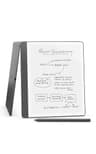
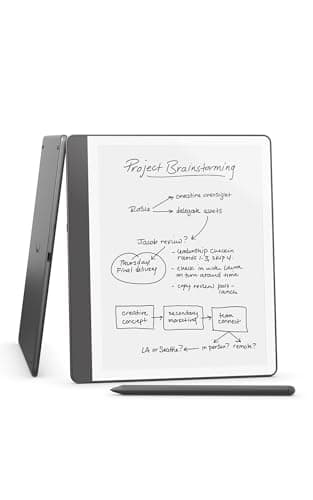
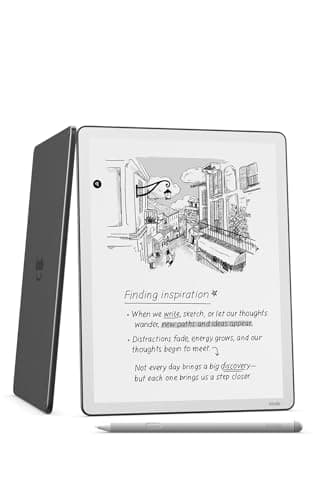
E-readers primarily come in two main types: dedicated reading devices and e-note devices. Dedicated reading devices, like many Kindle models, focus solely on providing an optimized reading experience for books and periodicals. E-note devices, such as the Kindle Scribe or reMarkable, expand on this by integrating advanced note-taking capabilities, allowing users to write, sketch, and annotate directly on the screen with a stylus. Some newer models also feature color E Ink displays, offering a more vibrant experience for comics or educational materials. Consider your main purpose: pure reading or a blend of reading and writing.
Sizing and Compatibility Considerations
E-reader screen sizes typically range from 6 inches to over 10 inches. Smaller screens are ideal for portability and casual reading, fitting easily into a bag or even a large pocket. Larger screens, often 8 inches or more, are better suited for reading academic papers, PDFs, or for those who prefer a more expansive view, especially with note-taking features. Compatibility with various e-book formats is also important. While most e-readers support common formats like EPUB and PDF, some are more restricted to proprietary formats. Check if the device supports the file types you commonly use or if it has easy conversion options.
Understanding Budget Tiers
E-readers are available across several budget tiers, each offering different levels of features and capabilities. Entry-level models typically provide a basic, reliable reading experience with essential features like a standard E Ink display and backlighting. Mid-range e-readers often introduce higher resolution screens, adjustable warm lighting, and sometimes basic note-taking functions. Premium e-note devices, at the higher end of the spectrum, boast larger, more advanced E Ink screens, sophisticated stylus support for detailed writing, and robust integration with cloud services. Your budget should align with your desired feature set and intended use.
Common Mistakes to Avoid
One common mistake is underestimating the importance of screen size for your specific needs; a small screen might be frustrating for PDF documents, while a large one could be cumbersome for daily commutes. Another error is neglecting to check supported file formats, potentially limiting your access to certain e-books or documents. Don't assume all e-readers have note-taking capabilities; if this is important, ensure the model explicitly supports it with a stylus. Finally, avoid buying an e-reader without considering its ecosystem – some brands offer seamless integration with their own digital bookstores and cloud services, which can be a significant convenience.
Frequently asked questions
What is the main difference between an e-reader and a tablet?
E-readers primarily use E Ink screens, which mimic paper and are easy on the eyes, especially for extended reading and in direct sunlight. Tablets typically have backlit LCD or OLED screens, offering vibrant colors and faster refresh rates, making them better for multimedia and general computing tasks.
Can I read PDFs on an e-reader?
Yes, most e-readers can display PDF files. However, the experience can vary depending on the screen size and the PDF's formatting. Larger e-readers (8 inches or more) generally offer a better experience for PDFs, especially those with complex layouts or small text, compared to smaller devices.
Do e-readers have color screens?
While most traditional e-readers feature grayscale E Ink screens, some newer models are now available with color E Ink technology. These color e-readers are suitable for reading comics, magazines, or educational materials where color enhances the content, though they may not be as vibrant as tablet displays.
How long does an e-reader's battery typically last?
E-readers are renowned for their exceptional battery life, often lasting for weeks on a single charge. This is due to the low power consumption of E Ink displays, which only use significant power when the screen content changes. Usage patterns and backlight settings can affect overall battery duration.
Are e-readers good for note-taking?
Many modern e-readers, often called 'e-note devices,' are specifically designed for note-taking. They come with a stylus that allows users to write, draw, and annotate directly on the screen, providing a paper-like writing experience. These are excellent for students, professionals, or anyone who prefers digital handwriting.