
How to choose the right gaming controllers
Key Features to Look For
When selecting a gaming controller, consider ergonomics for comfortable extended play, especially if you have larger or smaller hands. Connectivity options are crucial; decide between wired for zero latency or wireless for freedom of movement. Look for responsive buttons and joysticks, as precision is vital in many games. Advanced features like programmable back paddles, adjustable trigger stops, or swappable components can offer a competitive edge and greater customization. Haptic feedback and rumble features can also immerse you further into the game, providing tactile responses to in-game actions.
Types and Formats of Gaming Controllers
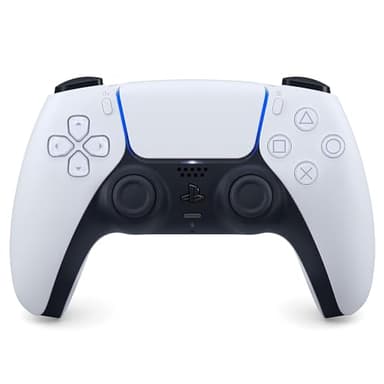
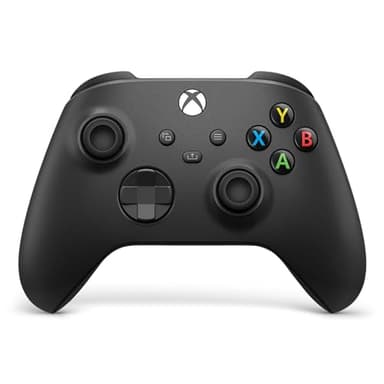
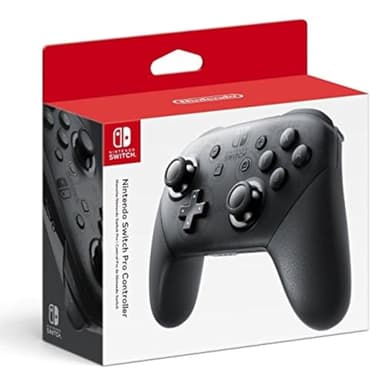
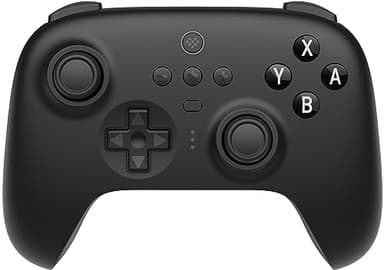
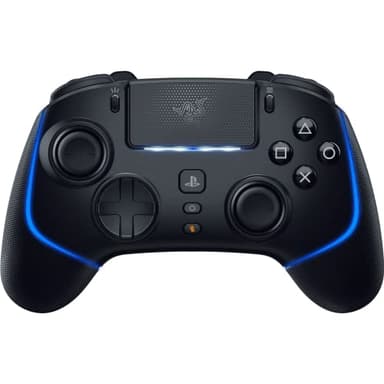
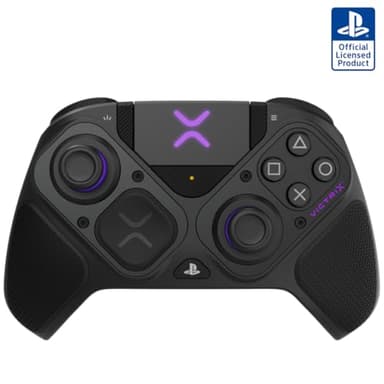
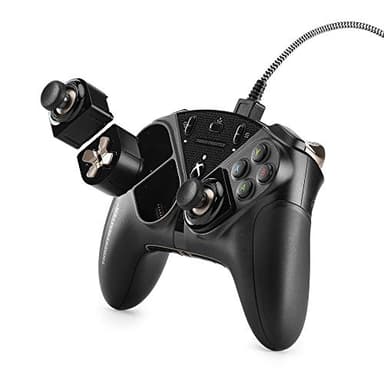
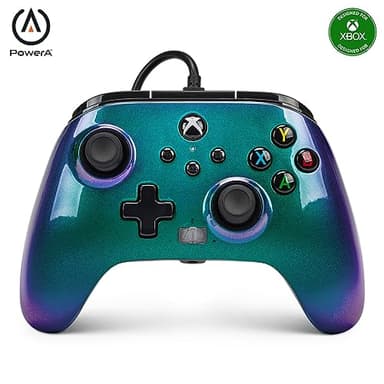
Gaming controllers primarily come in standard console-specific designs, like those for PlayStation, Xbox, or Nintendo Switch, which are optimized for their respective systems. Third-party controllers often mimic these designs but may offer additional features or different ergonomics. Pro controllers, sometimes called 'elite' or 'ultimate' versions, typically include advanced customization options such as remappable buttons, interchangeable thumbsticks, and trigger stops, catering to competitive players. Some controllers are designed specifically for PC gaming, offering broad compatibility and sometimes a more generic layout. There are also specialized controllers for specific genres, like fight sticks for fighting games or racing wheels for driving simulators.
Sizing and Compatibility
Controller sizing is largely a matter of personal preference and hand size. Some controllers are designed with a more universal fit, while others might feel more comfortable for those with larger or smaller hands. Compatibility is paramount: ensure the controller works with your intended gaming platform, whether it's a specific console (PlayStation, Xbox, Nintendo Switch), PC, or even mobile devices. Many controllers are designed for cross-platform use, but always double-check the specifications. Wireless controllers often use Bluetooth or a proprietary dongle, so confirm your device supports the connection method. Wired controllers typically use USB-A or USB-C and offer universal plug-and-play functionality with many systems.
Budget Tiers Explained
Gaming controllers generally fall into three budget tiers. Entry-level controllers offer basic functionality, often wired, and are suitable for casual gaming or as a secondary controller. Mid-range options typically include wireless connectivity, improved build quality, and sometimes basic customization features, providing a good balance of performance and value. High-end or 'pro' controllers are designed for serious gamers, featuring premium materials, extensive customization options like swappable components, programmable buttons, and advanced haptic feedback. These controllers prioritize durability, precision, and a personalized gaming experience, justifying their higher cost through enhanced performance and longevity.
Common Mistakes to Avoid
One common mistake is buying a controller without checking its compatibility with your primary gaming system. Another is overlooking ergonomics; a controller that feels uncomfortable after a short period will detract from your gaming experience. Don't assume all wireless controllers offer the same low latency; some budget options might introduce noticeable input lag. Forgetting to consider battery life for wireless models can lead to frustrating interruptions. Finally, don't overspend on features you won't use; if you're a casual gamer, a basic, reliable controller might be a better fit than a high-end, customizable 'pro' model.
Frequently asked questions
Is a wired or wireless controller better for gaming?
Wired controllers offer minimal input lag and never run out of battery, making them ideal for competitive play. Wireless controllers provide freedom of movement and convenience, but require charging and can have slightly more latency. Your choice depends on priority: responsiveness or flexibility.
Can I use an Xbox controller on a PlayStation, or vice versa?
Generally, no. Xbox controllers are designed for Xbox consoles and PC, while PlayStation controllers are for PlayStation consoles and PC. Adapters exist for cross-platform use, but they can be unreliable and may not support all features. It's best to use a controller designed for your specific system.
What are 'pro' or 'elite' controllers?
Pro or elite controllers are premium versions designed for competitive gamers. They often feature customizable buttons, interchangeable thumbsticks and D-pads, adjustable trigger stops, and enhanced grip. These features allow for a more personalized and precise gaming experience, offering a competitive edge.
How important is controller ergonomics?
Controller ergonomics are very important, especially for long gaming sessions. A comfortable controller reduces hand fatigue and improves overall enjoyment. Consider the size and shape of the controller relative to your hands, the placement of buttons, and the texture of the grips. What feels good to one person may not to another.
Do all gaming controllers have rumble or haptic feedback?
No, not all gaming controllers have rumble or haptic feedback. While most modern console controllers, like those for PlayStation and Xbox, include some form of vibration, some budget or older PC controllers might omit this feature. High-end controllers often feature advanced, more nuanced haptic feedback for greater immersion.