
How to choose the right smart tvs
Key Features to Look For
When shopping for a smart TV, prioritize display technology like OLED, QLED, or Mini-LED for vibrant colors and deep blacks. Resolution is also crucial, with 4K being standard and 8K available for those seeking the absolute sharpest image. Consider the refresh rate, especially if you're a gamer, as 120Hz offers smoother motion than 60Hz. Smart TV platforms, such as webOS, Google TV, or Tizen, dictate the user experience and app availability. Connectivity options like HDMI 2.1 ports are important for newer gaming consoles and soundbars, ensuring future compatibility and optimal performance.
Types and Formats of Smart TVs
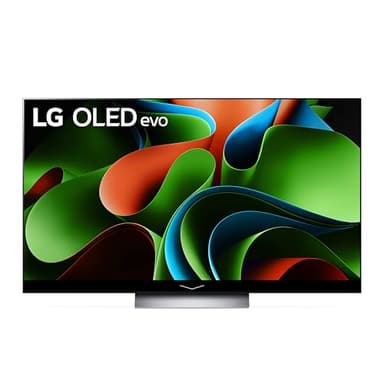
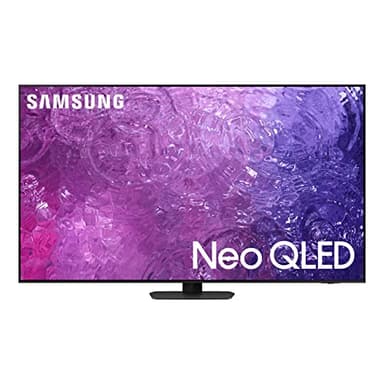
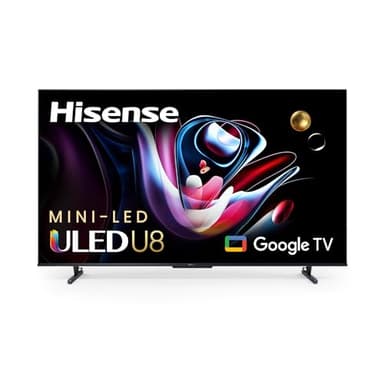
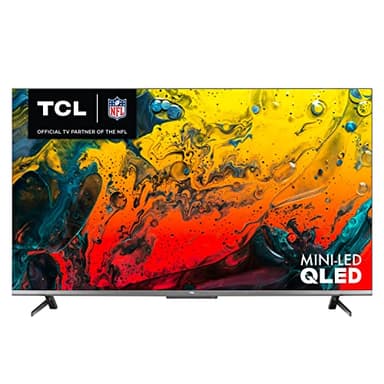
Smart TVs primarily differ in their display technology. OLED TVs are known for perfect blacks and infinite contrast, as each pixel emits its own light. QLED TVs, often found in Samsung models, use quantum dots to enhance color and brightness, offering a strong alternative to OLED. Mini-LED technology, seen in brands like Hisense and TCL, uses thousands of tiny LEDs for backlighting, allowing for precise local dimming and high brightness. While most smart TVs are flat, some curved options were available in the past, though they are less common now. Screen size is another major format consideration, ranging from compact to very large.
Sizing and Compatibility
Choosing the right TV size depends on your viewing distance and room dimensions. A common guideline is to sit about 1.5 to 2.5 times the screen size (diagonally) away from the TV for optimal 4K viewing. For example, a 55-inch TV is ideal for a viewing distance of 7 to 11 feet. Ensure the TV's physical dimensions fit your designated space, whether on a stand or mounted. Compatibility extends to your existing devices; check for enough HDMI ports, USB ports, and support for audio formats like Dolby Atmos if you plan to connect a sound system or soundbar.
Understanding Budget Tiers
Smart TV prices generally fall into three tiers: entry-level, mid-range, and premium. Entry-level smart TVs typically offer basic 4K resolution, standard refresh rates, and essential smart features, often using more conventional LED backlighting. Mid-range TVs introduce improved display technologies like QLED or Mini-LED, better local dimming, and often higher refresh rates, providing a significant step up in picture quality and performance. Premium smart TVs, including high-end OLED and Neo QLED models, deliver top-tier picture quality, advanced processing, superior audio, and comprehensive smart platforms, representing the pinnacle of home entertainment technology.
Common Mistakes to Avoid
One common mistake is buying a TV that's too large or too small for your room, leading to an uncomfortable viewing experience. Another error is neglecting to check for sufficient HDMI 2.1 ports if you own or plan to buy a next-gen gaming console or high-bandwidth streaming devices. Don't overlook the smart TV platform; ensure it offers the apps and user interface you prefer. Also, avoid solely focusing on resolution without considering display technology, as a high-resolution TV with poor contrast or color accuracy might not deliver the best picture. Finally, remember to account for potential sound system upgrades, as built-in TV speakers are often adequate but rarely exceptional.
Frequently asked questions
What is the difference between OLED and QLED?
OLED (Organic Light Emitting Diode) pixels emit their own light, allowing for perfect blacks and infinite contrast. QLED (Quantum Dot LED) TVs use an LED backlight with a quantum dot layer to enhance color and brightness, offering a brighter picture than many OLEDs.
Do I need 8K resolution?
For most viewers, 4K resolution is more than sufficient. Native 8K content is still limited, and the benefits of 8K are most noticeable on very large screens or at very close viewing distances. A high-quality 4K TV often provides a better overall experience for the money.
What smart TV platform is best?
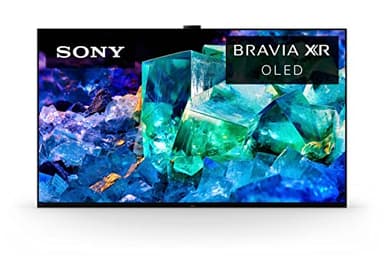
The 'best' platform depends on your preferences. Popular options like LG's webOS, Samsung's Tizen, and Google TV (found on Sony and Hisense) all offer extensive app libraries and intuitive interfaces. Try to experience them in person if possible to see which you prefer.
How many HDMI ports do I need?
Consider how many devices you'll connect, such as gaming consoles, soundbars, streaming sticks, or Blu-ray players. Most TVs offer 3-4 HDMI ports. Ensure at least one or two are HDMI 2.1 if you have or plan to get next-gen consoles for 4K 120Hz gaming.
Should I buy a soundbar with my new smart TV?
While modern smart TVs have improved built-in speakers, a dedicated soundbar or home theater system will significantly enhance your audio experience. If immersive sound is important to you, consider budgeting for an external audio solution to complement your new TV.