





How to choose the right soundbars
Key Features to Look For
When shopping for a soundbar, consider features like Dolby Atmos or DTS:X support for immersive, three-dimensional audio. Connectivity options are crucial; look for HDMI eARC for high-quality audio passthrough, optical, and Bluetooth for wireless streaming. Built-in voice assistants like Alexa or Google Assistant can add convenience. Also, check for dedicated center channels for clear dialogue, and consider if you want a system that includes a subwoofer or surround speakers for a more complete home theater experience. Some soundbars also offer room calibration features to optimize sound for your specific environment.
Types and Formats of Soundbars
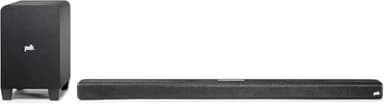
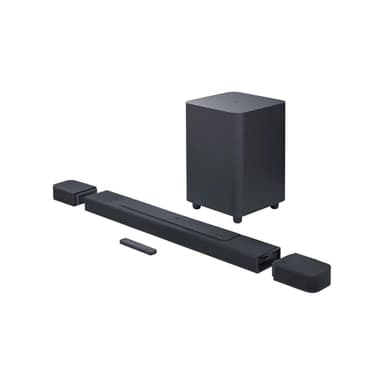
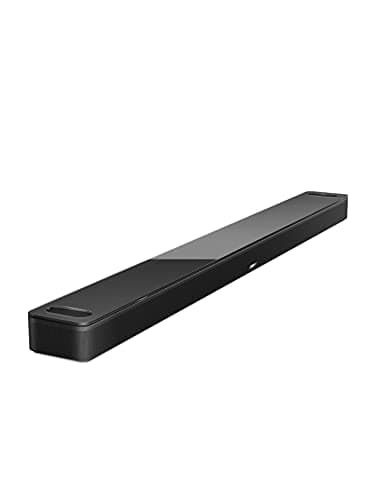
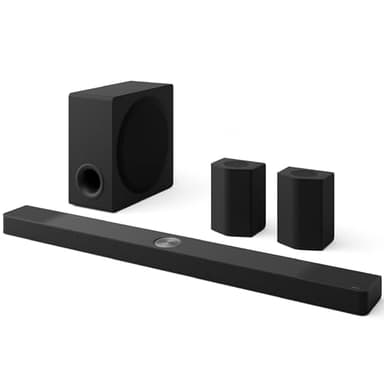
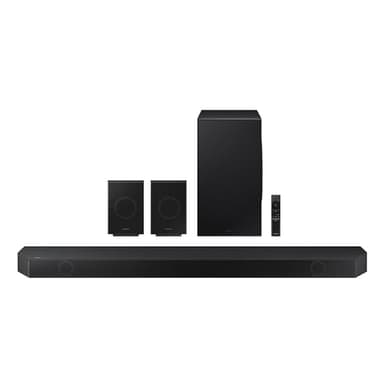
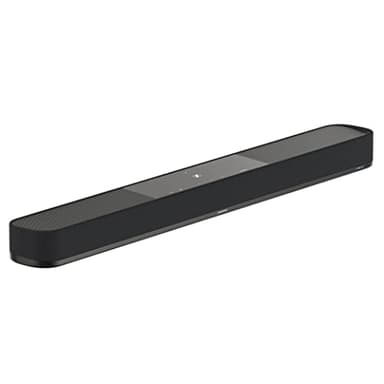
Soundbars come in several configurations. A basic 2.0 or 2.1 channel soundbar offers stereo sound, with the '.1' indicating a separate subwoofer for bass. More advanced systems include 3.1 or 5.1 channels, adding a dedicated center channel for dialogue and rear speakers for surround sound. For the most immersive experience, look for soundbars with Dolby Atmos or DTS:X, which often feature upward-firing speakers to create a sense of height. These can range from all-in-one units to systems with wireless subwoofers and detachable or wireless rear speakers, offering flexibility in setup.
Sizing and Compatibility
The physical size of the soundbar should be appropriate for your TV and entertainment setup. Ideally, a soundbar should not be wider than your television to maintain aesthetic balance. Consider the height as well, ensuring it doesn't block the bottom of your TV screen or the IR receiver. Compatibility with your TV is also important; most modern soundbars connect via HDMI ARC/eARC, which simplifies setup and allows for control with your TV remote. Ensure your TV has the necessary ports for the soundbar's features, especially for advanced audio formats like Dolby Atmos.
Budget Tiers Explained
Soundbar prices vary widely, reflecting differences in audio quality, features, and included components. Entry-level soundbars typically offer basic stereo sound with improved dialogue clarity, often without a separate subwoofer. Mid-range options usually include a wireless subwoofer, more channels (like 3.1 or 5.1), and sometimes virtual surround sound. Premium soundbars often feature advanced audio technologies like Dolby Atmos, dedicated surround speakers, multiple drivers, and sophisticated room calibration, delivering a truly immersive home theater experience with superior sound fidelity and powerful bass.
Common Mistakes to Avoid
One common mistake is not considering room acoustics; a powerful soundbar in a small, reflective room might sound boomy. Another error is neglecting connectivity options; ensure the soundbar has the inputs you need for your devices. Don't forget about placement; blocking the TV's IR sensor or placing the soundbar in a cabinet can hinder performance. Also, assuming all soundbars are equal in dialogue clarity is a mistake; look for models with a dedicated center channel. Finally, overlooking the potential for future expansion, such as adding wireless rear speakers, can limit your system's upgrade path.
Frequently asked questions
What is the difference between a soundbar and a home theater system?
A soundbar is a single, compact unit that houses multiple speakers, offering a simpler setup. A traditional home theater system typically consists of separate AV receivers, multiple individual speakers (front, center, surround), and a subwoofer, providing more flexibility and often superior audio performance for dedicated enthusiasts.
Do I need a subwoofer with my soundbar?
While not strictly necessary, a subwoofer significantly enhances the audio experience by providing deep, impactful bass that most soundbars alone cannot produce. It adds richness to music, movies, and games, making explosions more dramatic and soundtracks more full-bodied. Many soundbars come with a wireless subwoofer included.
What is Dolby Atmos and do I need it?
Dolby Atmos is an audio technology that creates a three-dimensional soundscape, making it sound like effects are coming from above and all around you. If you want a truly immersive, cinematic experience for movies and games, a soundbar with Dolby Atmos support can significantly elevate your audio, especially with compatible content.
How do I connect a soundbar to my TV?
The most common and recommended way to connect a soundbar is via an HDMI cable using the TV's HDMI ARC (Audio Return Channel) or eARC port. This allows audio to travel from the TV to the soundbar and often enables control of the soundbar with your TV remote. Optical audio is another common connection, but it doesn't support advanced audio formats like Dolby Atmos.
Can I use a soundbar for music?
Yes, many soundbars are excellent for music playback. Most modern soundbars include Bluetooth for wireless streaming from your phone or tablet. Some also offer Wi-Fi connectivity for higher-quality streaming from services like Spotify Connect or Apple AirPlay 2, turning your soundbar into a versatile audio system for both TV and music.