
How to choose the right standing desks
Key Features to Look For
When selecting a standing desk, consider its height range to ensure it accommodates your stature comfortably, both sitting and standing. Stability is crucial; a wobbly desk can be distracting and uncomfortable. Look for a robust frame and a high weight capacity if you have multiple monitors or heavy equipment. The control panel should be intuitive, ideally with memory presets for easy height adjustments. Noise level during operation is also a factor, especially in shared spaces. Finally, assess the desk's motor quality, as this impacts both speed and longevity.
Types and Formats
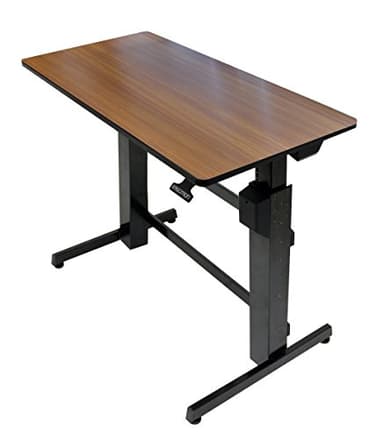
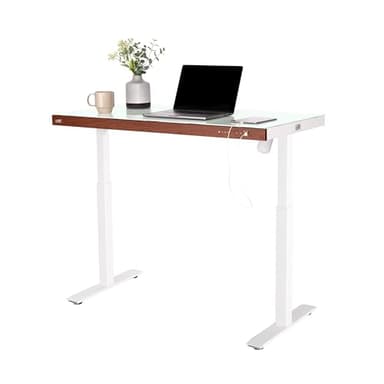
Standing desks primarily come in two main types: electric and manual. Electric desks, powered by motors, offer effortless height adjustments with the push of a button, often including programmable memory settings. Manual desks, typically operated by a crank, are generally more budget-friendly but require more physical effort to adjust. Beyond full desks, there are also standing desk converters, which sit on top of an existing desk to transform it into a sit-stand workstation. These are a good option for those not ready to replace their entire desk or with limited space.
Sizing and Compatibility
Desk size is a critical consideration. Measure your available space carefully, accounting for the desk's footprint and any necessary clearance for movement. Consider the desktop dimensions you need to comfortably fit your monitor(s), keyboard, mouse, and any other peripherals. For height, ensure the desk's lowest setting allows for proper ergonomic sitting posture and its highest setting supports a comfortable standing position for your height. Many desks offer a wide height range, but checking the specific minimum and maximum is important for personalized comfort.
Budget Tiers Explained
Standing desks are available across a range of price points, generally correlating with features and build quality. Entry-level options often include manual crank desks or basic electric models with smaller desktops and fewer features. Mid-range desks typically offer more robust construction, smoother electric motors, memory presets, and a wider variety of desktop materials and sizes. High-end standing desks boast premium materials, advanced stability, sophisticated control panels, and often extended warranties, catering to users seeking maximum durability and features.
Common Mistakes to Avoid
One common mistake is underestimating the importance of stability; a shaky desk can quickly become frustrating. Another is neglecting to measure your space, leading to a desk that's too large or too small for the room. Don't overlook the desk's weight capacity; overloading it can damage the motor or compromise stability. Also, many users forget to consider the noise level of electric motors, which can be disruptive in quiet environments. Finally, not checking the height range against your personal ergonomic needs can result in an uncomfortable setup.
Frequently asked questions
Are standing desks really worth it?
Many users find standing desks beneficial for reducing sedentary time, which can contribute to improved energy levels and focus. Alternating between sitting and standing can also alleviate discomfort associated with prolonged sitting. The value often depends on individual needs and how consistently the desk is used throughout the workday.
How often should I switch between sitting and standing?
There's no single rule, but a common recommendation is to alternate every 30 to 60 minutes. Listen to your body and adjust as needed. The key is to avoid prolonged periods in any single position. Start with shorter standing intervals and gradually increase them as you get accustomed to the change.
What is the ideal height for a standing desk?
When standing, your elbows should be at a 90-degree angle, with your forearms parallel to the floor, allowing your wrists to be straight while typing. Your monitor should be at eye level. When sitting, your feet should be flat on the floor, and your knees at a 90-degree angle.
Do I need an anti-fatigue mat with a standing desk?
An anti-fatigue mat is highly recommended, especially if you plan to stand for extended periods. It helps to reduce pressure on your feet, legs, and back by providing a cushioned surface that encourages subtle movements. This can significantly improve comfort and reduce fatigue.
Can I use my existing desktop with a new standing desk frame?
In many cases, yes. If you purchase a standing desk frame separately, you can often attach your current desktop. Ensure the desktop's dimensions and weight are compatible with the new frame's specifications, particularly its weight capacity and mounting points. Check the frame's instructions for compatibility.