
How to choose the right streaming devices
Key Features to Look For
When selecting a streaming device, prioritize features that align with your viewing habits. Consider resolution support, such as 4K Ultra HD or even 8K, especially if you have a compatible TV. HDR (High Dynamic Range) compatibility, including formats like Dolby Vision or HDR10+, significantly improves picture quality with richer colors and contrast. Processor speed and RAM are crucial for smooth navigation and quick app loading. Wi-Fi standards (e.g., Wi-Fi 6) impact streaming reliability, while Ethernet ports offer the most stable connection. Also, evaluate voice control capabilities and remote design for ease of use.
Types and Formats
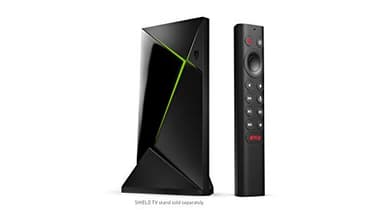
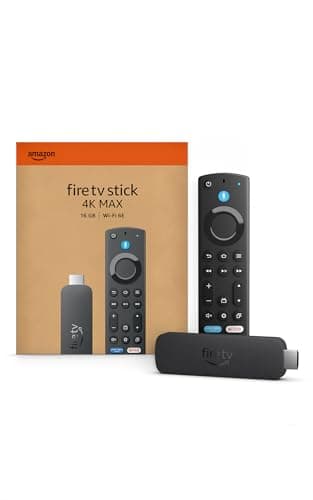
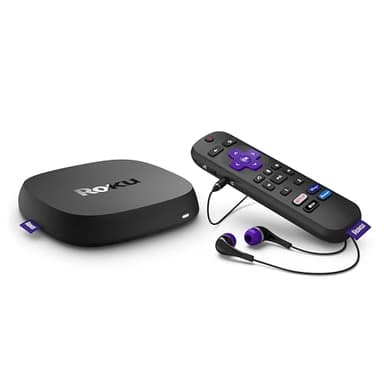
Streaming devices primarily come in two main formats: sticks and boxes. Streaming sticks are compact, plug directly into an HDMI port, and are often more portable and budget-friendly. They are great for travel or secondary TVs. Streaming boxes, while larger, typically offer more powerful processors, additional ports (like Ethernet or USB), and sometimes extra storage. They are often preferred for primary home theater setups where performance and connectivity are paramount. Some smart TVs also have built-in streaming platforms, but dedicated devices often provide a more robust and frequently updated experience.
Compatibility and Ecosystem
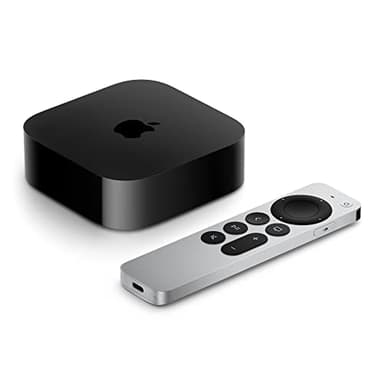
Ensuring compatibility with your existing devices and preferred services is vital. Check if the streaming device supports your TV's resolution and HDR formats. Consider the operating system and its integration with your smartphone or smart home ecosystem. For instance, Apple users might prefer an Apple TV for seamless AirPlay and HomeKit integration, while Android users might lean towards Chromecast with Google TV. Verify that all your must-have streaming apps, like Netflix, Hulu, Disney+, and specific sports packages, are available on the device's platform before purchasing.
Budget Tiers Explained
Streaming devices are available across various price points, generally correlating with features and performance. Entry-level options typically offer HD streaming, basic app access, and essential remote controls, suitable for casual viewers or secondary TVs. Mid-range devices often introduce 4K resolution, HDR support, faster processors, and more advanced voice remotes. High-end streaming boxes provide the most powerful performance, advanced HDR formats like Dolby Vision, premium audio passthrough, and robust connectivity options, ideal for home theater enthusiasts seeking the best possible experience. Consider your usage and TV capabilities to determine the appropriate tier.
Common Mistakes to Avoid
One common mistake is buying a 4K streaming device without a 4K TV, rendering the extra resolution capability useless. Another is overlooking the device's operating system and app availability; ensure your favorite services are supported. Don't forget to check for HDR compatibility if your TV supports it, as not all devices support all HDR formats. Underestimating the importance of processor speed can lead to a sluggish user experience. Finally, neglecting to consider your home Wi-Fi setup can result in buffering issues, even with a high-performance device, so ensure your network can handle the streaming demands.
Frequently asked questions
Do I need a smart TV to use a streaming device?
No, a streaming device can turn any TV with an HDMI port into a smart TV. It provides access to streaming apps and online content, bypassing the need for built-in smart features on your television.
What's the difference between a streaming stick and a streaming box?
Streaming sticks are compact, plug directly into an HDMI port, and are often more portable. Streaming boxes are larger, typically offer more processing power, additional ports, and sometimes extra storage for a more robust experience.
Can I watch live TV with a streaming device?
Yes, many streaming devices support apps for live TV services like YouTube TV, Sling TV, Hulu + Live TV, and more. You'll typically need a subscription to these services to access live channels.
Do streaming devices require a subscription?
The device itself usually doesn't require a subscription, but most streaming services (like Netflix, Disney+, Hulu) do. Some devices offer free content or ad-supported channels, but premium content often comes with a monthly fee.
Is 4K streaming worth it?
If you have a 4K TV and a fast internet connection, 4K streaming offers significantly sharper and more detailed picture quality than HD. It enhances the viewing experience, especially for movies and nature documentaries, making it a worthwhile upgrade for many.