
How to choose the right usb hubs
Key Features to Look For
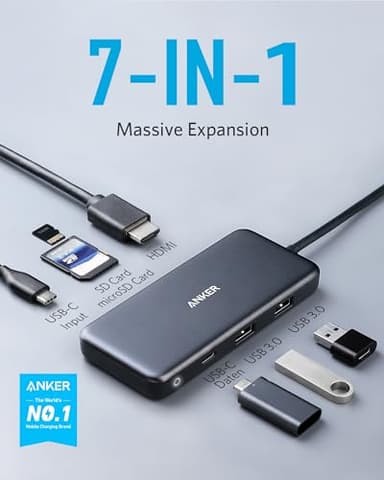
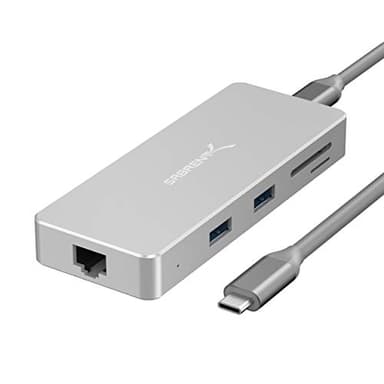
When selecting a USB hub, consider the types and number of ports it offers. Look for a mix of USB-A and USB-C ports, and check for data transfer speeds like USB 3.0 (5Gbps) or USB 3.2 Gen 2 (10Gbps). Power delivery (PD) is crucial if you want to charge your laptop through the hub; ensure the wattage is sufficient for your device. Video output ports like HDMI, DisplayPort, or VGA are important for connecting external monitors. Ethernet ports provide stable wired network access, while SD/microSD card slots are useful for photographers and content creators. Audio jacks can also be a convenient addition.
Types and Formats of USB Hubs
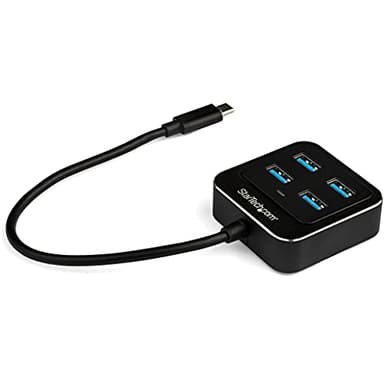
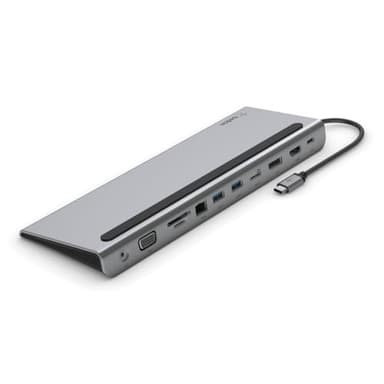
USB hubs come in various forms to suit different needs. Simple portable hubs are compact, often bus-powered, and ideal for travel or occasional use. Desktop hubs are typically larger, often self-powered with an AC adapter, and provide more ports and stable power for a permanent workstation. Docking stations are the most comprehensive, offering a wide array of ports, high power delivery, and often advanced features like multiple display outputs, designed to transform a laptop into a full desktop setup. USB-C hubs are increasingly popular, leveraging the versatility of the USB-C standard for data, video, and power.
Sizing and Compatibility
The physical size of a USB hub can vary significantly. Portable hubs are designed to be small and lightweight, fitting easily into a bag, while docking stations can be substantial. Consider where you'll place the hub and how much desk space you have. Compatibility is paramount: ensure the hub's input connector (e.g., USB-A, USB-C, Thunderbolt) matches your device's available ports. Also, check operating system compatibility (Windows, macOS, Chrome OS, Linux) and confirm that any specific features like video output or power delivery are supported by your device's hardware and software.
Budget Tiers Explained
USB hubs are available across a range of price points, generally reflecting their features and capabilities. Entry-level hubs typically offer basic USB data ports and are bus-powered, suitable for expanding connectivity for mice, keyboards, or flash drives. Mid-range hubs often include additional ports like HDMI, Ethernet, and some level of power delivery, making them versatile for everyday use. High-end docking stations, including Thunderbolt docks, provide the most extensive port selection, high-wattage power delivery, and advanced display capabilities, catering to professionals with demanding setups. Your budget should align with your required features.
Common Mistakes to Avoid
A common mistake is not checking for sufficient power delivery (PD) if you intend to charge your laptop through the hub; an underpowered hub won't charge or will charge very slowly. Another error is overlooking port types and speeds; ensure the hub has the specific ports you need (e.g., USB 3.2 Gen 2 for fast external drives) and that they match your devices. Not verifying display compatibility, such as resolution and refresh rate support, can lead to disappointment. Finally, ignoring the hub's input connection type (USB-A, USB-C, Thunderbolt) can result in an incompatible purchase.
Frequently asked questions
What is the difference between a USB hub and a docking station?
A USB hub primarily expands the number of USB ports. A docking station, on the other hand, is more comprehensive, often including video outputs (HDMI, DisplayPort), Ethernet, card readers, and higher power delivery, designed to replicate a desktop experience for a laptop.
Do I need a powered USB hub?
A powered USB hub is recommended if you plan to connect power-hungry devices like external hard drives, charge multiple devices, or if your computer's USB ports don't provide enough power. Bus-powered hubs are fine for low-power devices like keyboards or mice.
Can a USB hub charge my laptop?
Yes, if the USB hub supports Power Delivery (PD) and has a sufficient wattage output for your laptop. Look for hubs that specify PD capabilities and match or exceed your laptop's charging requirements for effective charging.
What is Thunderbolt and how is it different from USB-C?
Thunderbolt is a technology developed by Intel that uses the USB-C connector. It offers higher bandwidth than standard USB-C, allowing for faster data transfer, multiple 4K displays, and power delivery all through a single cable. Not all USB-C ports are Thunderbolt compatible.
Will a USB hub slow down my devices?
A well-designed USB hub with sufficient bandwidth should not noticeably slow down most devices. However, if you connect many high-bandwidth devices (like multiple external SSDs or 4K monitors) to a single hub, you might experience some performance limitations due to shared bandwidth.