
How to choose the right keyboards
Key Features to Look For
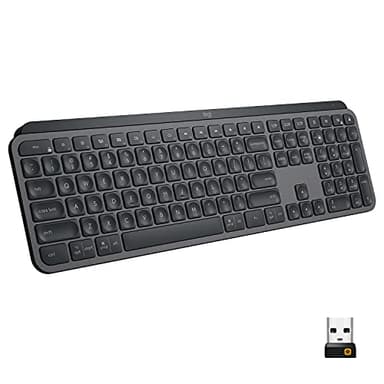
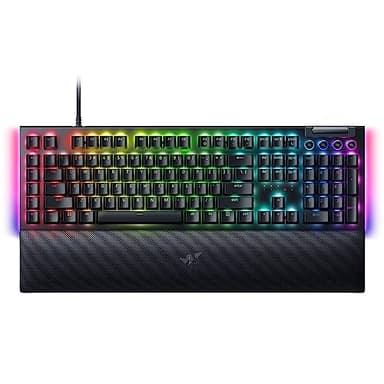
When selecting a keyboard, consider the switch type, as this significantly impacts typing feel and sound. Mechanical switches offer tactile feedback and durability, while membrane switches are quieter and often more affordable. Connectivity options are also crucial; wired keyboards provide reliable, lag-free performance, whereas wireless models offer flexibility and a clutter-free desk. Backlighting, especially RGB, can enhance aesthetics and usability in low-light conditions. Additionally, look for programmable keys or macro support if you need to automate complex tasks, and consider dedicated media controls for convenience. Build quality, including materials and keycap durability, contributes to the keyboard's longevity and overall user experience.
Types and Formats Explained
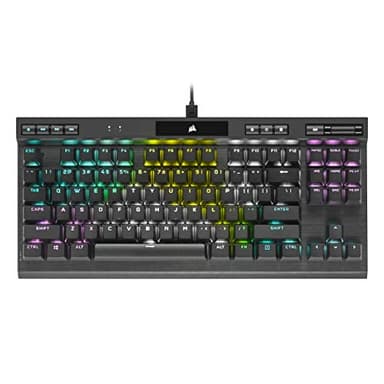
Keyboards come in various types and formats, each designed for different user preferences and applications. Mechanical keyboards, known for their distinct tactile feedback and audible clicks, are favored by typists and gamers. Membrane keyboards are quieter and often found in budget-friendly options. Ergonomic keyboards are shaped to promote a more natural hand and wrist position, reducing strain during long typing sessions. Gaming keyboards often feature fast response times, anti-ghosting, and customizable RGB lighting. In terms of format, full-size keyboards include a number pad, TKL (tenkeyless) models omit it for a more compact design, and smaller layouts like 60% or 65% prioritize portability and desk space.
Sizing and Compatibility
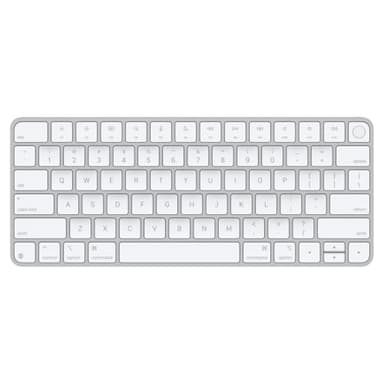
Keyboard sizing refers to its physical dimensions and the number of keys. Full-size keyboards include a numeric keypad, function row, and navigation cluster, making them ideal for data entry and general use. Tenkeyless (TKL) keyboards omit the numeric keypad, offering a more compact footprint that's popular among gamers and those with limited desk space. Smaller layouts like 75%, 65%, or 60% further reduce size by removing less frequently used keys, enhancing portability. Compatibility is also vital; most modern keyboards connect via USB or Bluetooth and are compatible with Windows, macOS, and Linux, but always check specific product details for your operating system and device.
Budget Tiers for Keyboards
Keyboard prices vary widely, generally falling into three tiers. Entry-level keyboards typically offer basic functionality, membrane switches, and standard layouts, suitable for casual use or those on a tight budget. Mid-range options introduce mechanical switches, basic backlighting, and more durable builds, providing a significant upgrade in typing feel and longevity for a reasonable investment. High-end keyboards feature premium materials, advanced mechanical switch types, extensive RGB customization, programmable macros, and often wireless connectivity. These are designed for enthusiasts, professional gamers, or users who demand the best performance and features, offering superior build quality and a highly personalized experience.
Common Mistakes to Avoid
One common mistake is choosing a keyboard solely based on aesthetics without considering switch type. The feel and sound of the switches are crucial for typing comfort and satisfaction. Another error is overlooking connectivity options; ensure the keyboard is compatible with your devices and preferred setup (wired for reliability, wireless for flexibility). Failing to consider ergonomics can lead to discomfort or strain over time, especially for heavy users. Lastly, don't assume all features are necessary. A gaming keyboard's advanced macros might be overkill for a casual typist, just as a basic office keyboard won't satisfy a competitive gamer. Match the keyboard to your primary use case.
Frequently asked questions
What is the difference between mechanical and membrane keyboards?
Mechanical keyboards use individual switches under each key, offering distinct tactile feedback and often an audible click. Membrane keyboards use a rubber dome layer, resulting in a softer, quieter, and often less precise typing feel. Mechanical keyboards are generally more durable and customizable.
Are wireless keyboards good for gaming?
Modern wireless gaming keyboards have significantly improved, with many offering low-latency connections comparable to wired models. While some competitive gamers still prefer wired for absolute minimal delay, most users won't notice a difference. Look for models with dedicated 2.4GHz wireless dongles for the best performance.
What does TKL mean for a keyboard?
TKL stands for 'Tenkeyless,' meaning the keyboard lacks the numeric keypad typically found on the right side of a full-size keyboard. This design makes the keyboard more compact, saving desk space and allowing for a more ergonomic mouse position, which is popular among gamers and minimalists.
Do I need an ergonomic keyboard?
An ergonomic keyboard can be beneficial if you spend long hours typing or experience wrist discomfort. They are designed to promote a more natural hand and wrist posture, reducing strain. While not everyone needs one, they can significantly improve comfort and potentially prevent repetitive strain injuries for heavy users.
Can I customize my keyboard's keycaps?
Many mechanical keyboards allow for keycap customization. Standardized switch stems, like Cherry MX style, mean you can often swap out keycaps to change the look, feel, or even material of your keys. This is a popular way to personalize your keyboard, but always check compatibility with your specific switch type.